top of page
Truckers Trip Planning App Logo

The Truckers Trip Planning App Blog provides Industry news and discussions about truckers trip planning and load decisions geared towards helping company truck drivers, leased operators and owner operators gain greater profits from the loads they run.

Truckers-trip-planning-app-on-mobile (1)

The Truckers Trip Planning App allows truck drivers to see within minutes whether they have the required hours of service to safely and legally run a load while at the same time it allows Owner Operators the opportunity to see immediately whether the load is profitable enough to sustain a successful business.


Truckiers Trip Planning App Logo

Young and Healthy Marketing LLC, a software development company in Virginia, first introduced the "Truckers Trip Planning App" to the trucking Industry in March of 2016 as a tool to help professional drivers analyze loads based on hours of service prior to accepting loads that they had no way of delivering on time or loads that were not at all profitable. The original "Truckers Trip Planning App" was the first app on the market to incorporate hours of service trip planning tools and load profitability tools to help truck drivers see if they have the required hours of service to run the load, if they can deliver the load on time, and determine whether that load is profitable in less than 5 minutes and thus coined the workflow as "Putting The Horse Before The Cart In Trucking!" The overall purpose of the Truckers Trip Planning App is to eliminate the stress and frustrations that truck drivers face on a daily basis in making load decisions and to create a cohesive and win, win relationship between Professional Drivers and Dispatchers.


The Truckers Trip Planning App takes into consideration that when the Dispatcher assigns a load, they need truck drivers to respond quickly as to whether they will accept the load so that they can begin planning their next load and likewise, Lease Operators and Owner Operators that get their loads from load boards need to decide quickly as to whether they will run a load before someone else grabs it.


The Truckers Trip Planning App is simple to use. Yet, it delivers powerful results that help Professional Drivers make informed and accurate load decisions:


In the Truckers Trip Planning App initial setup:


Company Drivers, Lease Operators, and Owner Operators can setup their Hours of Service Recap Calculator so that it is up to date and only need to add their hours for the current day when calculating their hours of service recap to determine the hours they have available for the load.


Lease Operators, and Owner Operators can setup their Operating Cost Per Mile Calculator and determine their operating cost per mile so that the tool is up to date each time they need to analyze a load.

When using the Truckers Trip Planning App to analyze hours of service,


Company Drivers, Lease Operators, and Owner Operators can simply check and make changes to their hours of service recap, and make changes to their operating cost per mile worksheet when needed.


Company Drivers, Lease Operators, and Owner Operators can simply type the load's requirements into the Trucker Trip Planning Worksheet and review the Hours of Service and ETA Calculator which automatically reports:

  • the load's drive time requirements,

  • the load's on-duty not driving time requirements,

  • the load's rest breaks requirements,

  • the load's Estimated Time of Arrivals (ETA),

  • the Next Available Time (NAT) after delivery,

  • and the remaining hours of service for their next load.

When using the Truckers Trip Planning App to analyze the load's profitability,


Lease Operators, and Owner Operators can simply input their trucks average miles per gallon, the average cost of fuel, their percentage of the load's pay, and their percentage of the load's fuel surcharge into the Trucker Trip Sheet and the Truckers Trip Planning App will calculate and render:

  • the load's actual load pay,

  • the load's actual fuel surcharge,

  • the load's rate per mile,

  • and the overall revenue that the load will generate.

To determine whether the load is profitable, Lease Operators, and Owner Operators can then go to the Profit and Loss Spreadsheet to review;

  • the total amount of fuel needed for the load,

  • the per mile cost of the needed fuel,

  • the total cost of the needed fuel,

  • the salary cost for the load,

  • the operating cost for the load,

  • and most important the profit or loss for the load.

When using the Truckers Trip Planning App to measure the success of load decisions,


Lease Operators, and Owner Operators will appreciate that the Truckers Trip Planning App includes Success Metrics which records data from all of their accepted loads and provides a visual tool to help them keep their business on track towards success. Using this tool, Lease Operators, and Owner Operators can easily see where and when improvements need to be made on their load selections.


Company Drivers, Lease Operators, and Owner Operators alike will surely find that if they want to be successful, that the Truckers Trip planning App is the best and most useful app to have in their truck.
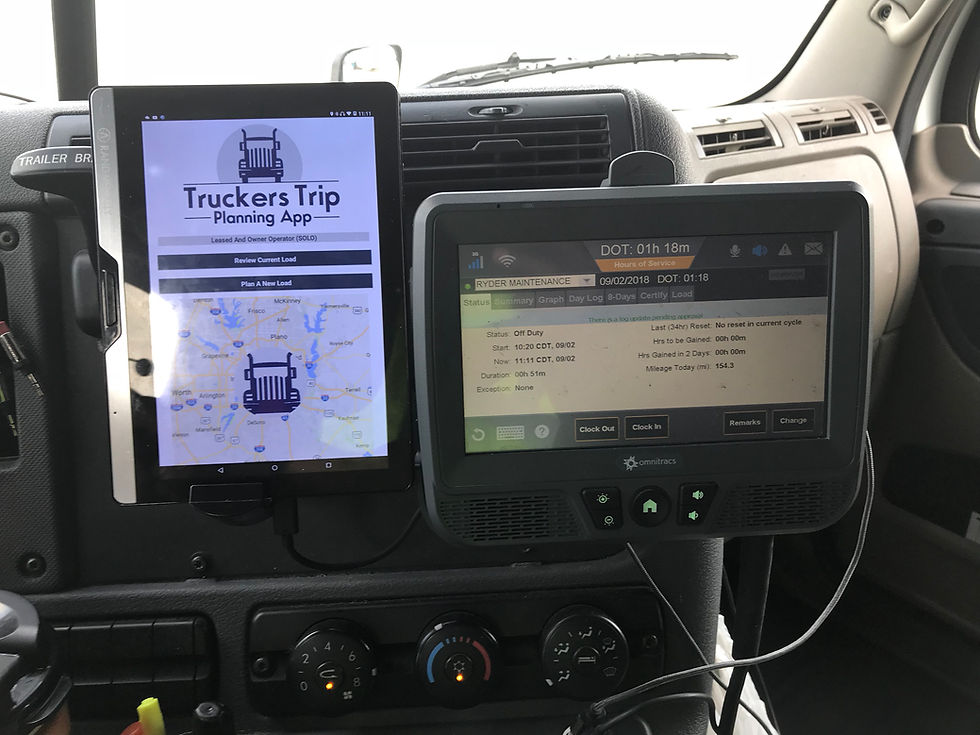

Truckers Trip Planning App on Rand McNally

Plan To Be Successful! Get Access to the Truckers Trip Planning App and make informed and accurate load decisions.


Learn how to use the Load Comparison Trucking Profit and Loss Spreadsheet from the Truckers Trip Planning App and compare your profits and losses for up to five loads.


The Load Comparison App can be used for two very important functions to help lease operators and owner operators track their profits and losses. The trucking profit and loss spreadsheet is designed to broaden your focus on running more profitable loads.


Objective 1: You can use the Load Comparison #TruckingProfitandLossSpreadsheet to compare up to five loads from the load boards you use to quickly determine which of the five is the most profitable load for you to run based on your truck operating cost.


  1. First update your #costpermilecalculator to ensure that it is reporting the correct cost per mile to the trucking profit and loss spreadsheet.

  2. Next select the button to go to the Load Comparison App.

  3. Update your core data. This information will be persistent on the app and will only need to be updated when you need to make changes. To make changes you simply need to reenter the updated data.

  4. Select the number of loads that you will be comparing from the load board or whatever source you get your loads.

  5. Update the Load Pay, the Fuel Surcharge, the empty miles, and loaded miles for each of the loads in which you will compare.

  6. Scroll down and click on the "Compare Your Loads" button and the information you will need to analyze your loads will be calculated.

  7. You should be able to see which of the loads will be the most profitable based on your trucks operating cost per mile.

  8. To get an even clearer representation, select the "Show Chart" button to visualize the profit and loss in a bar chart.

  9. The calculations will remain on the trucking profit and loss spreadsheet when you close the app and will be available for future use until you decide to reset the app to analyze more loads.

Objective 2: You can use the profit and loss spreadsheet to review the loads you run one at a time so that you can see when your profitable loads are falling behind loads that are causing you a loss. By tracking your loads, you can track what you are doing and make adjustments on the loads you are running to increase your profits rather than waiting until the end of the week to look back and find that you didn't accomplish as much as you could have had you selected better loads.


Using the Load Comparison App to track your performance is relatively no different than analyzing the loads from the load board except that you will be updating the truckers profit and loss spreadsheet after each load that you run.


Update the Trucking Profit and Loss Spreadsheet for each load that you run.

  1. First update your cost per mile calculator and proceed to the Load Comparison App.

  2. Next update your core data just as you did before.

  3. Change the number of loads to one and update the Load Pay, the Fuel Surcharge, the empty miles, and loaded miles for each of the loads in which you will compare. NOTE: If you do not get the load pay or the fuel surcharge and is normally paid by the mile then simply multiply the total of the empty and loaded miles by the cents per mile and enter the result in it's appropriate place.

  4. Scroll down and click on the "Compare Your Loads" button to update the profit and loss for the load.

  5. On your next load return to Step 1 and repeat the process for up to 5 loads.

As you run your loads and add each load to your trucking profit and loss spreadsheet you should be noticing what kind of loads you are running and whether they are profitable as you would like them to be. If they are not then you should be looking to make some changes. Don't be too concerned if one load is far less profitable than the others unless you can see that you have absolutely no way of making up for it.


The Trucking Profit and Loss Spreadsheet Load Comparison App is another example of our commitment to set the standard for the meaning of apps that are "Built By Truckers For Truckers". The app was suggested by one of our members, Jason Lowery, who assisted in the build. Many thanks to him for his commitment to help other truckers.


The Load Comparison App will be free and available in your download with Full Access to the Truckers Trip Planning App, or when you download either the Solo Lease and Owner Operator Trip Planning App, or the Team Lease and Owner Operator Trip Planning App.


Updated: Sep 1, 2018


Learn how to calculate trucking cost per mile and determine your truck operating cost using the Truckers Cost Per Mile Calculator from the Truckers Trip Planning App.


Truck Cost Per Mile Calculator from the Truckers Trip Planning App

As a Leased Operator or Owner Operator you need to know your trucks operating cost in order to select profitable loads. This should be the first step that you take when you first purchase and download the Truckers Trip Planning App.


Once you set up the #TruckersCostPerMileCalculator, it will be available for all future loads and you will only need to add and make changes as they become necessary.


The Truckers Cost Per Mile Calculator opens with the Total miles or kilometers set to 100,000 and the salary percentage set to 30%. This is just an average to use based upon a yearly operating cost preference. You can change this information to meet your preference.


To calculate trucking cost per mile for your trucking business, you will need to have available, your settlement statements, all associated #fixedcost and #variablecost expenses, and of course the #totalmilesdriven during the period in which you intend to calculate your truck operating cost per mile. The overall objective is to determine the minimum rate per mile that you can accept when selecting your loads to either achieve a break even point or to earn a profit with the load.


How To Calculate Trucking Cost Per Mile Using The Truckers Cost Per Mile Calculator From The Truckers Trip Planning App.


  1. On the workflow page of the App, open the Truckers Cost Per Mile Calculator by tapping on the icon on the left.

  2. Make your decision as to whether you want to calculate your operating cost based on weekly, monthly, or yearly miles driven.

  3. Enter the total miles you drove during the period in which you selected.

  4. Determine what percentage of the total vehicle cost you want to add as a personal salary. This is separate from the actual cost of operating your truck and can be adjusted as you monitor your #successmetrics and make adjustments to increase your #loadprofitability which will be discussed in a future post.

  5. Enter the decimal value of your salary percent into the box provided.

  6. Make a determination from your settlement statements which of your expenses are fixed cost and those expenses which are variable cost. Fixed cost are those cost in which you will have to pay regardless if the wheels on your truck are turning and variable cost are those cost that you have an option to pay or avoid paying by choosing alternatives. Examples of Fixed Cost are truck payments, health insurance, physical damage insurance, trailer rental, base plates and permits, Accounting, and such things that you would have to pay even if you do not run any loads. Examples of variable cost are tolls, scales, internet, fuel, diesel exhaust fluid, and such things that you will only need if the wheels are turning and such things that you can avoid purchasing if you so choose to do so.

  7. Based on your decision to calculate trucking cost per mile on either a weekly, monthly, or yearly basis, enter your fixed cost and the amount of the recurring cost into the fixed cost section of the Truckers Cost Per Mile Calculator and clicking on the "+" to add lines for each entry. The cents per mile, the total fixed cost, and the fixed cost per mile or kilometer will be automatically calculated based upon your recurring cost. While you update your fixed cost, the Truckers Cost Per Mile Calculator will also build a chart that you can view later to see which of your fixed cost should be consistently monitored.

  8. Based on your decision to calculate trucking cost per mile on either a weekly, monthly, or yearly basis, enter your variable cost and the amount of the recurring cost into the variable cost section of the Truckers Cost Per Mile Calculator and clicking on the "+" to add lines for each entry. The cents per mile, the total variable cost, and the variable cost per mile or kilometer will be automatically calculated based upon your recurring cost. While you update your variable cost, the Truckers Cost Per Mile Calculator will also build a chart that you can view later to see which of your variable cost should be consistently monitored.

  9. After you have completely updated your fixed and variable cost, scroll to the bottom of the Truckers Cost Per Mile Calculator to see the truck cost per mile or kilometer, the salary cost per mile or kilometer, and the operating cost per mile or kilometer which was also calculated as you updated your fixed and variable cost. Notice that the operating cost per mile or kilometer is a combination of the truck cost per mile or kilometer and the salary cost per mile or kilometer. The operating cost per mile or kilometer is the minimum rate in which a load should pay for you to achieve a break even point. Any thing above that amount would help you to achieve a business profit. Any thing below that amount would cause you to achieve a business loss.

  10. You can now close the Truckers Cost Per Mile Calculator and return to the workflow page of the Truckers Trip Planning App to begin planning your loads.

Get Access to the Truckers Trip Planning App and calculate trucking cost per mile for your truck today.


bottom of page